← Downloads and setup
Getting started

Days / Re:coded — choose your game

Choose a game to see the launcher and manual-emulator setup routes.

Use it on
Windows desktop
Before you start
Your own .nds game file. The launcher and emulator are separate downloads.
Current status
Unsigned helper preview; actual setup and gameplay still need testing.

Start here

  1. Choose Days or Re:coded below.
  2. Read the requirements and pick the setup route that suits you.
Your equipment

Choose your cursor.

153 Keyblade renders and 21 attack-card choices, 7 additional boss weapons, plus your normal cursor.

Games follow verified appearances. Shared blades use their labeled art edition. Catalogs are partial.

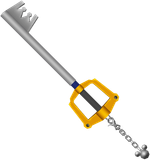
Current: Kingdom Key

Custom cursors appear on mouse and trackpad devices.

Only this cursor preference is saved in your browser. Privacy

Game assets: 48 native KH1/KHII mesh representations, 46 BBS blade-and-hilt appearances with chains omitted, 17 native HD Re:CoM cards, 41 native Nintendo DS choices and 22 imported game-art choices. Two earlier imported choices now use verified native DS art without changing their selected IDs. Boss Weapons includes seven additional native Days designs and two shared Keyblade appearances. Eight native cursors use a thin visibility outline without recoloring the original pixels. Each choice retains its source edition. Game art belongs to its respective rights holders.